Managing thousands of identities and devices across sites from separate tools creates gaps in policy control and cost visibility. Most competitors charge recurring per user fees or require custom scripting that makes cost and integration planning unpredictable for IT departments. This comparison covers pricing, automation depth, and integration scope so IT departments can choose a platform that fits their operational scale and budget.
Table of Contents
IT Control Box

At a Glance
The vendor advertises a 70% reduction in manual effort for routine IT tasks. That claim centers on automating user lifecycle work, device configuration, and license cleanup.
The platform uses a perpetual license model and reports no per user fees while connecting on-premise Active Directory to cloud services via secure APIs.
Core Features
IT Control Box handles zero touch user onboarding and offboarding tied to HRMS records, persona based access provisioning, and automated local admin password rotation using LAPS. It combines dynamic access control, excess access detection, and a full audit trail for administrative actions to support compliance workflows.
The product also exposes Office 365 license consumption so teams can identify and reclaim unused seats.
Key Differentiator
An integrated suite that merges identity management, device automation, Office 365 license optimization, and lifecycle automation while avoiding per user fees. The vendor highlights ISO27001 compliance as part of its enterprise control claims. That mix targets large IT organizations that need consolidated policy and cost control across AD and cloud identities.
Pros
The platform centralizes identity and device tasks so IT teams reduce repetitive work and reallocate time to higher value projects. That figure the vendor gave about reduced manual effort speaks to automation depth rather than a single feature.
Visibility into Office 365 license consumption and reclamation lets teams cut wasted license spend without tracking individual seats manually. Integrations with ServiceNow, SCCM, Intune, Microsoft Teams, and Active Directory sync make the platform fit into existing IT stacks and ticketing flows.
Perpetual licensing with no per user fees removes recurring per seat charges. The built in audit trail and LAPS based password rotation improve privileged access hygiene and support compliance reviews.
Cons
- The platform is aimed at enterprise scale and may require substantial initial setup and a steep learning curve for teams without dedicated integration resources.
Notable Integrations
- ServiceNow for ITSM workflows.
- Active Directory and Azure AD sync for identity lifecycle bridging.
- Microsoft Teams for notifications and user context.
- SCCM and Intune for device management and zero touch provisioning.
- ISMS and ISO27001 compliance tooling for audit alignment.
Who It's For
Large IT departments and enterprise organizations that manage thousands of identities and devices across sites. Teams that must control Office 365 license consumption and run formal compliance audits will find the feature set relevant.
IT groups with existing ServiceNow, SCCM, or Intune deployments benefit from the platform's connector set and API driven approach.
Unique Value Proposition
Perpetual licensing with zero per user fees changes the cost equation for organizations with many seats. By removing recurring per seat charges, total license cost becomes a fixed investment, and teams focus on reclaiming wasted licenses.
Operationally, the API driven AD to cloud bridge and zero touch device flows reduce manual handoffs and centralize lifecycle rules in one place.
Real World Use Case
A multinational IT team used the platform to automate onboarding and offboarding for thousands of employees. The deployment enforced persona based provisioning, rotated local admin credentials automatically, and centralized Office 365 license dashboards to reduce waste across subsidiaries.
Pricing
Public list pricing is not available. The vendor signals a customized enterprise pricing model built around perpetual licensing and deployment scope. Expect pricing to vary by integration footprint, number of managed devices, and services required for initial setup.
Website: https://itcontrolbox.com
Cayosoft
At a Glance
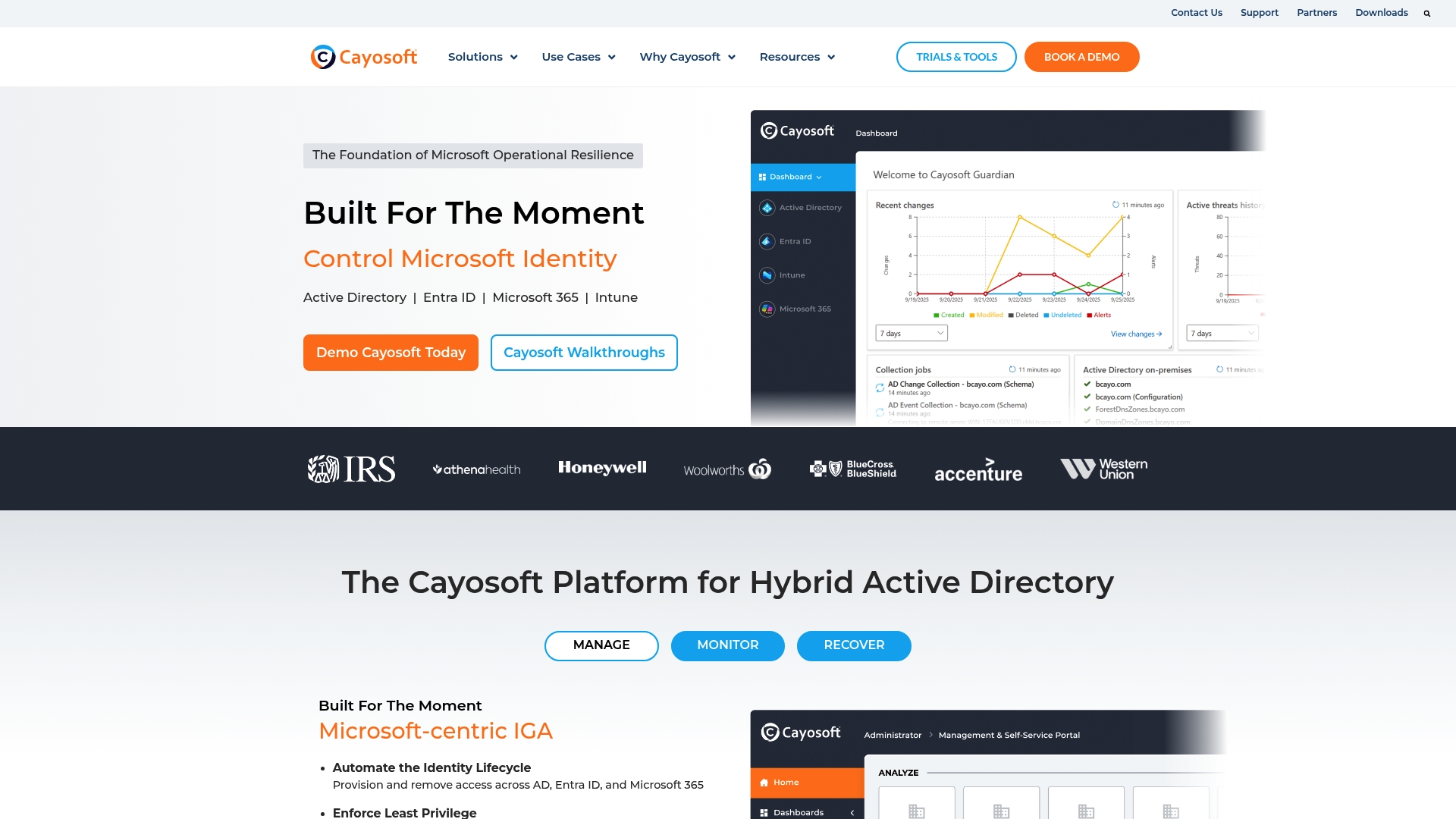
Cayosoft reports instant forest recovery in minutes for Active Directory forests. This capability targets identity resilience across on premises, hybrid, and cloud Microsoft environments. The platform pairs continuous change monitoring with automated rollback and recovery to reduce downtime. Organizations that prioritize fast forest restoration and tight audit trails will find this notable.
Core Features
Cayosoft combines policy driven automation for hybrid identity management with no scripting secure delegation to limit privileged access. It delivers real time change detection and monitoring, audit and rollback of identity modifications, and continuous threat detection and prevention. The product suite also includes automated orchestration for instant forest recovery and tools focused on compliance and risk reduction.
Key Differentiator
Cayosoft's distinguishing capability is its instant Active Directory forest recovery with automated orchestration and continuous change monitoring across Microsoft environments. That combination reduces the time between detection and restoration. For teams that must recover entire forests quickly and retain full audit trails, this is the defining feature.
Pros
Cayosoft reports 100% retention and satisfaction ratings, which the vendor highlights as customer validation. The platform receives third party recognition and practical validation from industry analysts. Its recovery capability and continuous monitoring give security and identity teams a way to contain and reverse malicious changes quickly. Extensive documentation and customer success resources support complex deployments.
Cons
- Third party reviewers note a steep learning curve for new administrators. This can increase onboarding time.
- Enterprise oriented features create potential high cost for smaller organizations. License consumption and services add budget pressure.
- The overview gives limited detail on deployment complexity or specific integration steps. Implementation plans require detailed vendor discussion.
When It May Not Fit
Cayosoft requires a Microsoft identity environment and is less suitable for organizations that use non Microsoft directories. Small teams without dedicated identity specialists may find the product complex and costly. Buyers that need lightweight user provisioning or basic license optimization should look elsewhere.
Who It's For
Security and identity management teams at medium to large organizations using hybrid Microsoft identity solutions. IT operations groups responsible for disaster recovery and regulatory audits will benefit from rapid forest restoration and detailed change history. Federal, healthcare, and education IT shops with strict compliance needs match this profile.
Real World Use Case
A government agency misconfigured Active Directory and faced a security incident. Using that recovery capability, the agency restored directory operations within minutes while preserving audit trails. The fast restoration reduced operational disruption and supported continued regulatory reporting.
Pricing
Pricing is not publicly listed. Cayosoft asks prospects to contact sales for a custom quote. Organizations should budget for enterprise focused licensing and potential professional services when planning deployment.
Website: https://cayosoft.com
Ivanti Neurons Platform
At a Glance
Autonomous endpoint management, exposure management, IT service management, and network security run inside the same console. The platform uses AI powered analytics and automated workflows to correlate asset, vulnerability, and incident data. That single-pane approach reduces separate tool handoffs and centralizes operational context for large estates.
Core Features
Ivanti Neurons combines asset discovery and inventory with endpoint management, vulnerability prioritization, and exposure monitoring in a unified product. AI powered automation helps triage risks and push configuration changes across fleets while ticketing and service workflows remain connected. The result is fewer manual reconciliations and faster context for technicians during incident response.
Key Differentiator
The primary differentiator is the all in one AI powered approach that runs IT and security workflows from a single interface. This design keeps metadata and telemetry together so automated policies can act across discovery, patching, and remediation without separate synchronization.
Pros
Users describe the solution as mature and feature rich, with wide coverage across endpoint and exposure controls. The platform offers a configurable visual workflow builder that lets teams map automated actions to detected risks and service events. Integration with diverse endpoint device types and security tools is a recurring strength in user feedback, and the unified data store reduces repeated inventory and reporting effort.
Cons
- Complex to implement for organizations new to unified management platforms. Deployment requires planning and a phased rollout.
- Potentially high cost for a full license suite. Exact pricing is not listed in the vendor materials.
- Requires staff with skills in automation and AI configuration to extract full value. Smaller teams may underuse advanced features.
- Limited publicly available details on retention and integration behavior with legacy systems.
When It May Not Fit
Small IT teams with limited automation experience will find the setup and tuning effort onerous. Organizations that cannot commit to a consolidated management model may prefer point tools instead. Budget constrained buyers should plan for enterprise licensing and implementation costs before selecting this product.
Who It's For
Large enterprises that want a unified IT and security operations plane and can staff automation engineers will benefit most. Security oriented IT teams implementing zero trust architectures will gain value from combined exposure and endpoint controls. Organizations running distributed infrastructure and many device types will find the single console useful.
Real World Use Case
A large healthcare organization consolidated endpoint, security, and vulnerability workflows into Ivanti Neurons. The consolidation shortened threat triage cycles and reduced the number of manual reconciliation tasks across teams. Visibility across distributed sites improved and analysts gained faster access to correlated evidence.
Pricing
Pricing is not publicly listed. Enterprise licensing and deployment are typically quoted on a custom basis and depend on modules and device counts. Buyers should request a detailed quote and an estimated implementation budget.
Website: https://ivanti.com
One Identity

At a Glance
One Identity reports serving over 11,000 enterprise customers and managing more than 500 million identities. Headquartered in Cork, Ireland, the vendor targets hybrid and cloud environments with identity governance and privileged access tools. That scale supports deployments in regulated industries with complex compliance needs.
Core Features
The product set covers identity governance and administration, privileged access management, and Active Directory plus Entra ID management. It also includes One Identity Fabric for unified policy control and AI driven analytics tied to identity events. The suite provides automation for provisioning, privileged session control, and audit trails that support compliance reporting.
Key Differentiator
The vendor emphasizes built-in AI and predictive insights across its fabric to deliver enterprise wide visibility into identity risk. That integration links identity events to risk scoring and targeted remediation workflows. The model favors centralized detection and control for large estates with mixed on premises and cloud assets.
Pros
The vendor cites Gartner recognition as a Visionary in PAM and reports high customer satisfaction. Customers value the modular design and integration options that let teams adopt specific components without replacing existing tooling. Positive case studies show deployments across regulated sectors, which supports its suitability for complex environments with extensive compliance requirements.
Cons
-
Complexity in some products, such as Identity Manager, can require developer time and custom scripting.
-
Higher price point compared with some competitors like SailPoint, with cost effectiveness perceived differently across users.
-
Noticeable learning curve tied to the broad feature set and deep configuration options.
When It May Not Fit
Smaller IT teams with limited development resources will struggle with setups that need heavy customization. Organizations on tight budgets may find total cost higher than necessary for basic identity needs. Teams that need simple, out of the box provisioning and no customization should look at lighter alternatives.
Who It's For
Large enterprises with sizable identity estates and formal compliance obligations. IT security teams and identity administrators who need both governance controls and privileged access workflows. Organizations that plan multi year deployments and can allocate engineering resources for integration and tuning.
Real World Use Case
According to the company, a global financial services firm reduced onboarding time from days to hours by deploying Identity Manager. That change allowed faster user provisioning while preserving audit trails for regulators. The case highlights value where provisioning delays create operational risk and audit exposure.
Pricing
Pricing is not publicly disclosed. You must contact sales for a detailed quote and deployment options.
Website: https://oneidentity.com
Comparison of alternatives
In navigating diverse solutions for identity and device management, distinctions in automation capabilities and cost models emerge as in determining suitable choices. While IT Control Box provides automation and identity management workflows, competitors offer unique advantages in niche scenarios demanding distinct features.
Efficiency in automation and cost structure
IT Control Box excels at integrating identity lifecycle automation with Office 365 license auditing, all under a perpetual licensing model devoid of recurring per-user fees. This structure is highly advantageous for enterprises managing extensive user bases. Its centralized approach ensures operational efficiency through minimized administrative overhead.
Specialized capabilities
Cayosoft's standout feature is its automated Active Directory forest restoration, enabling organizations undergoing directory outages to resume operations promptly without compromising compliance reporting. Meanwhile, Ivanti Neurons Platform delivers a consolidated ecosystem for endpoint and exposure management, which provides practical solutions for enterprises with expansive device networks. Lastly, One Identity shines in adaptability through predictive identity analytics and individual component integration for intricate IT environments.
Best fit
- IT departments scaling identity management across global sites efficiently will benefit most from IT Control Box's automation-driven and cost-efficient license model.
- Organizations prioritizing rapid forest restoration during directory outages should explore Cayosoft's orchestrated recovery capabilities.
- Teams managing extensive endpoint and exposure-related workflows using unified tools will find Ivanti Neurons Platform's single-pane-of-glass approach highly suitable.
- Enterprises seeking advanced identity governance complemented by predictive analytics and integration flexibility enter the ideal match range for One Identity.
Our pick
IT Control Box stands as the preferred option for enterprises prioritizing long-term cost-effectiveness and integrated automation across identity and device management processes. However, for organizations with niche requirements, competitors cater to those complex scenarios effectively.
Organizations seeking solutions tailored to robust identity and device management may compare features, costs, and suitability across these options:
| Product | Core Features | Key Differentiator | Best For | Pricing | Limitation |
|---|---|---|---|---|---|
| Itcontrolbox | Identity lifecycle automation, Office 365 audit | Unified platform without per-user fees | Large IT departments focusing on compliance and cost control | Price not published | Substantial setup effort for teams without integration resources |
| Cayosoft | Instant AD forest recovery, change monitoring | Rapid recovery and rollback for identified threats | Medium to large organizations prioritizing fast recovery | Price not published | High cost for smaller organizations |
| Ivanti Neurons | Endpoint security, exposure monitoring, AI workflows | Centralized IT/security operations with AI automation | Enterprises adopting unified IT and security frameworks | Price not published | Complex setup, requires team expertise |
| One Identity | Identity governance, privileged access management | AI-driven risk insights at large scale | Enterprises managing large mixed cloud/on-premise environments | Price not published | Setup complexity requires developer resources |
Addressing IT Identity and License Management Challenges
Managing user identities, device configurations, and Office 365 licenses without added per user fees remains a top priority for large IT departments. Many enterprise teams face the challenge of automating repetitive tasks while maintaining control over cloud and on-premise environments to reduce operational costs and improve compliance. Itcontrolbox offers a platform designed to reduce manual effort by up to 70%, enabling automated user lifecycle management and local admin password rotations with built-in audit trails.

Join leading enterprises that rely on Itcontrolbox to unify identity and device management workflows. Talk to us about how automated licensing optimization and zero-touch deployments can minimize administrative workload and reclaim wasted Office 365 seats.
FAQ
How does Itcontrolbox reduce manual effort for IT tasks?
Itcontrolbox offers a 70% reduction in manual effort for routine IT tasks. The platform automates user lifecycle work, device configuration, and license cleanup, which significantly streamlines operations. This efficiency allows IT teams to focus on high-value projects and reduce overall workload.
What is the difference between Cayosoft and Itcontrolbox?
Cayosoft provides instant forest recovery for Active Directory forests, making it highly effective for organizations prioritizing quick restorations. In contrast, Itcontrolbox excels in automating user onboarding and offboarding tasks, making it ideal for teams focused on identity and device management workflows.
Which platform supports extensive integration with IT tools?
Itcontrolbox integrates well with ServiceNow, SCCM, Intune, Microsoft Teams, and Active Directory. This connectivity helps IT teams fit it within their existing infrastructure without major disruptions, providing a comprehensive operational framework.
Can I use Itcontrolbox for compliance audits?
Yes, Itcontrolbox includes a built-in audit trail and features like LAPS-based password rotation to improve privileged access hygiene. These capabilities support compliance reviews effectively, making it suitable for organizations with strict regulatory requirements.
How does license optimization work with Itcontrolbox?
Itcontrolbox provides visibility into Office 365 license consumption, enabling teams to identify and reclaim unused licenses. This feature helps organizations reduce unnecessary spending on licenses, allowing for better budget management.